How to get an AMD Instinct MI60 running for AI workloads, including cooling solutions, BIOS settings, and fan control.
Introduction#
The AMD Instinct MI60 is a powerful server GPU featuring 32 GB of HBM2 VRAM and PCIe 3.0 connectivity. It remains a good choice for budget-conscious AI developers looking for high VRAM capacity at a fraction of modern GPU prices. With proper setup, the MI60 can handle local LLM inference, Whisper transcription, Stable Diffusion, and other workloads.
Parts List#
| Item | Details | Notes |
|---|---|---|
| AMD Instinct MI60 GPU | 32GB HBM2 VRAM | Passive-cooled server GPU |
| 92mm x 38mm Fan | High static pressure, 12V, PWM | Example: GDSTIME 92x38mm fan |
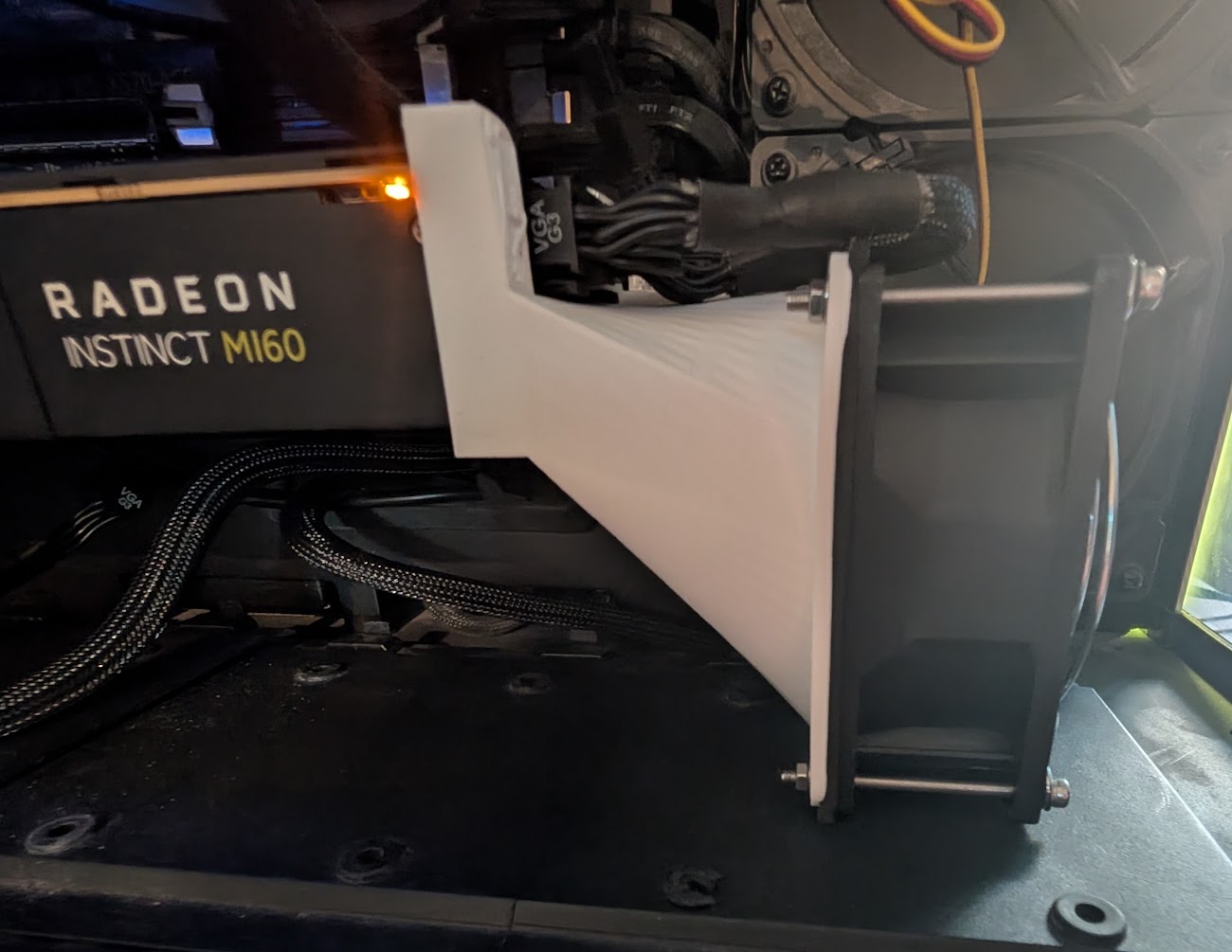
| Fan Mounting | 3D printed shroud | Single GPU STL |
| High Wattage PSU | 600W+ with 2x 8-pin PCIe | MI60 draws 300W under load |
Tip: Look for “92mm x 38mm high static pressure fan” on Amazon or eBay. GDSTIME, Delta, and Sunon are common brands. Some models can be loud — use PWM or undervolting to reduce noise.
Photos#
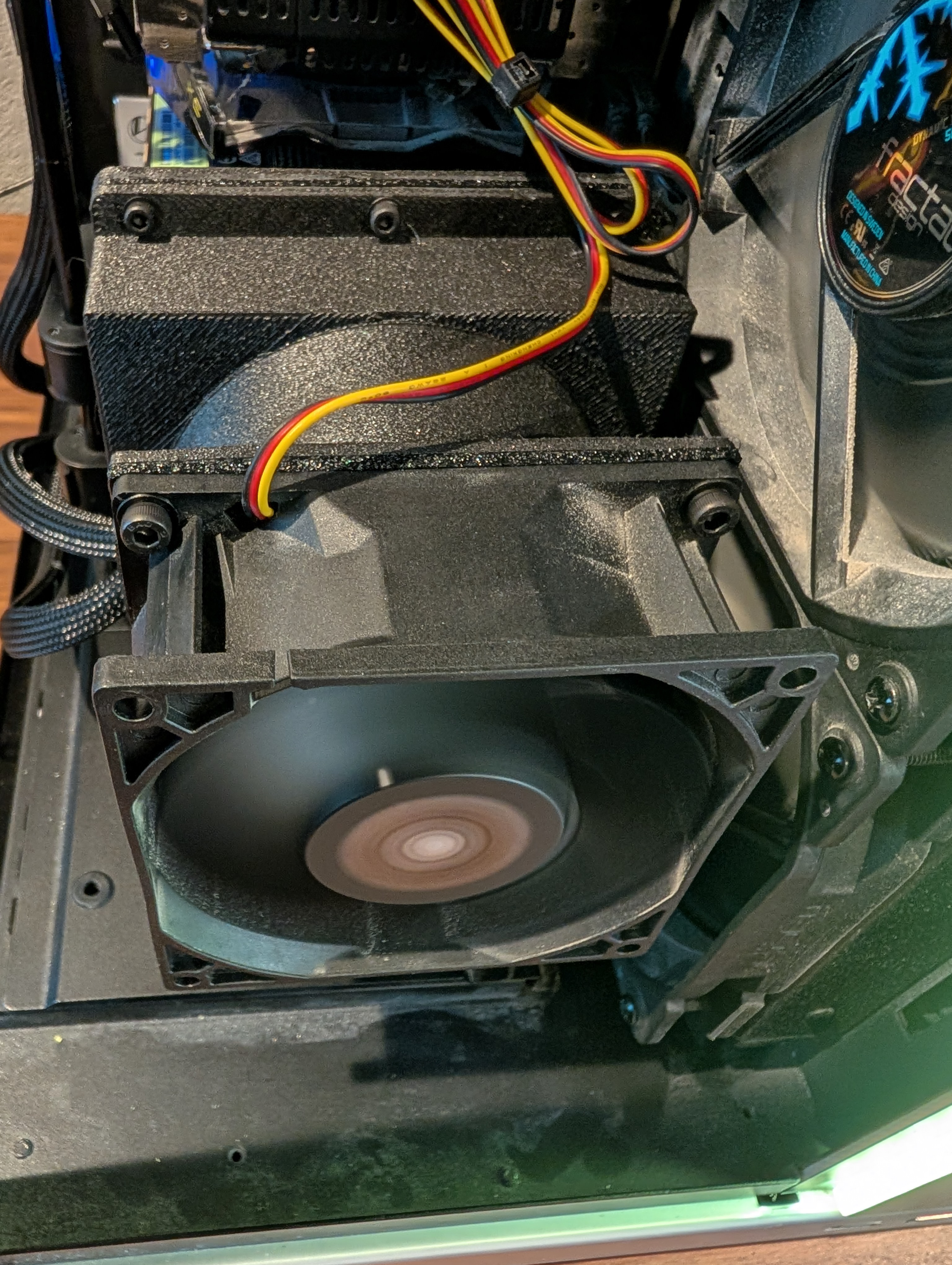
MI60 with 92mm GDSTIME fan attached using a 3D-printed shroud. The housing also doubles as physical support for the GPU.
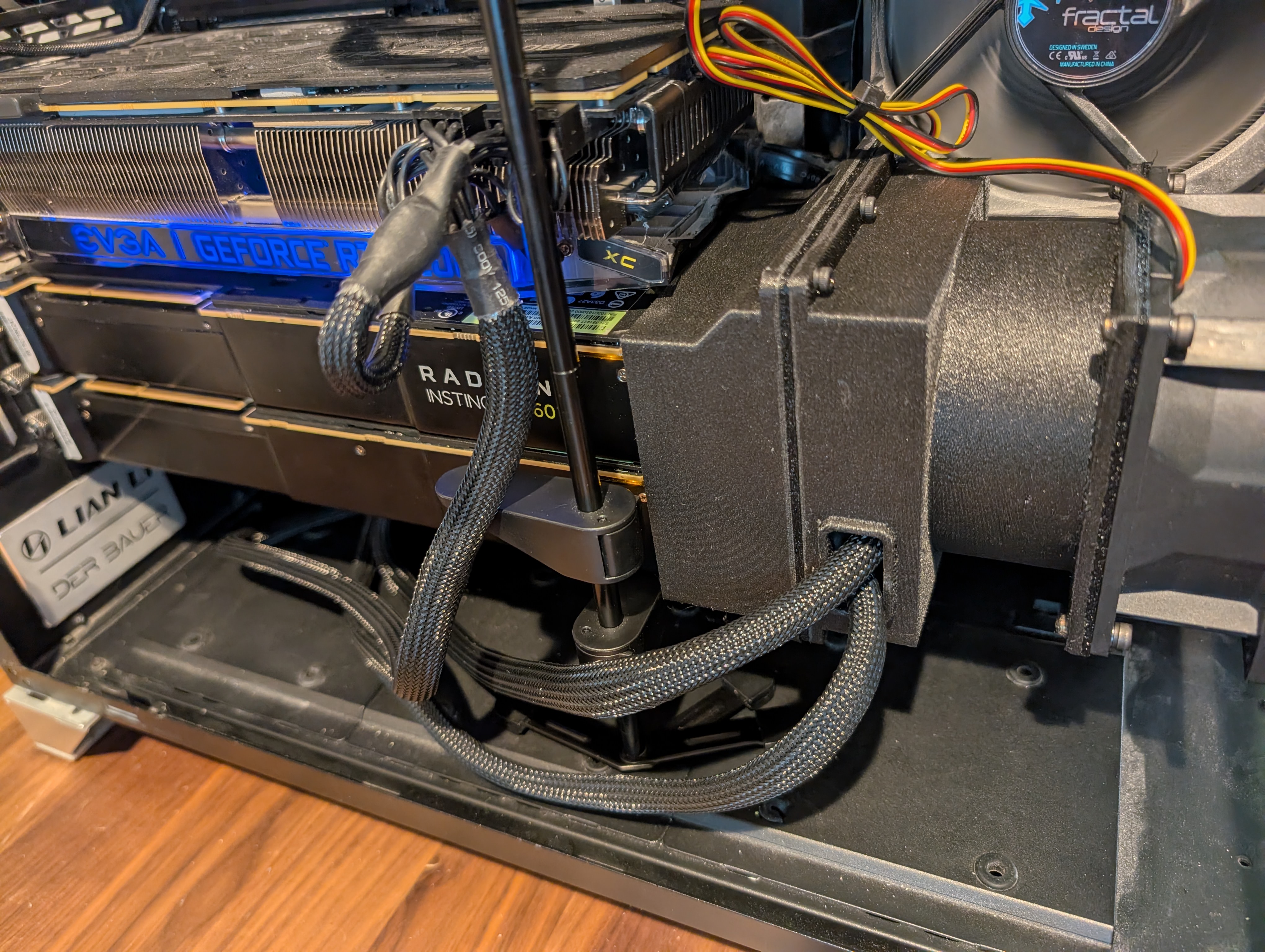
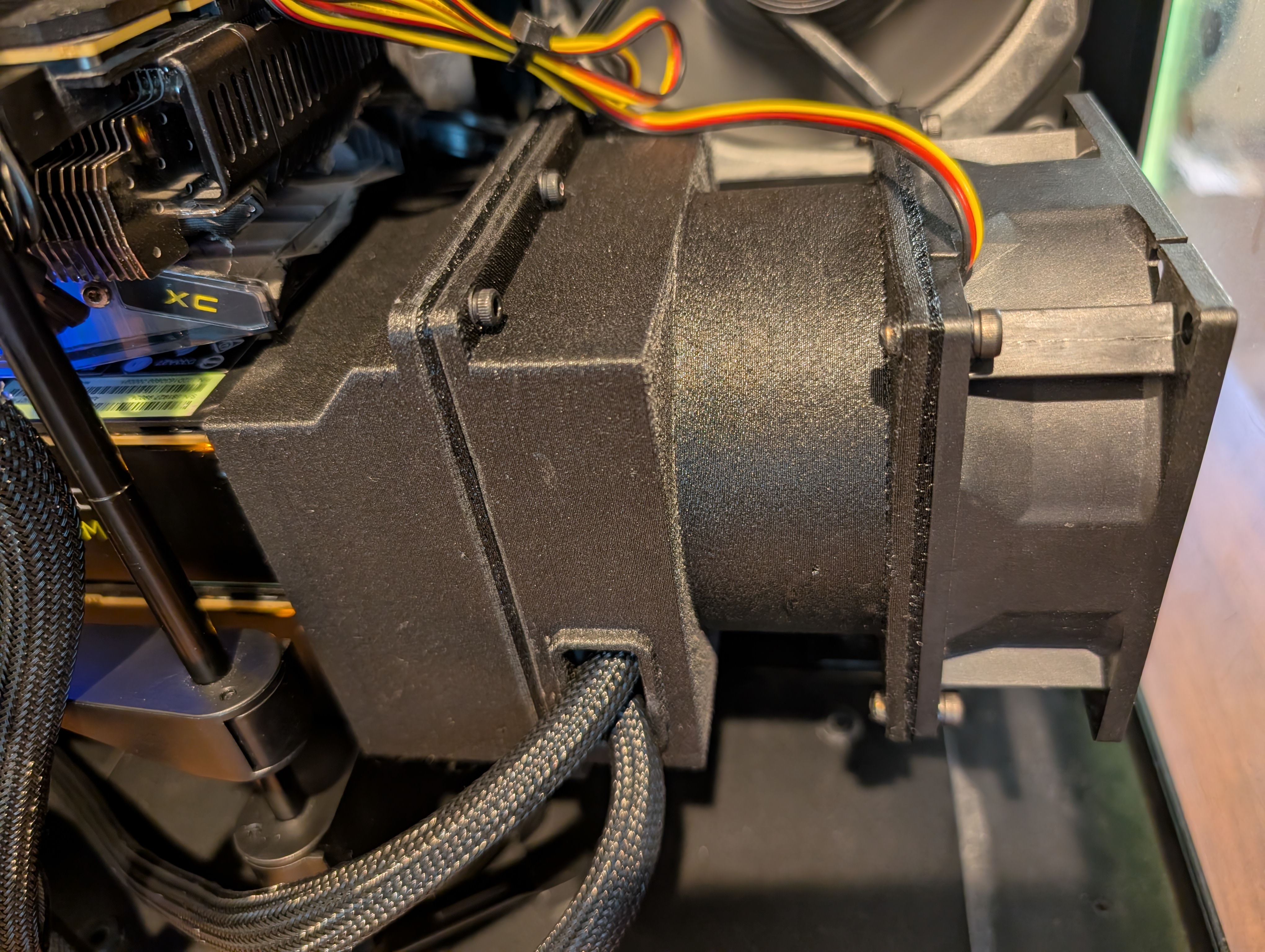
Dual MI60 setup using a shared dual-duct housing. STL available (fits one 92mm or one 120mm fan to cool both GPUs).
BIOS Settings#
To ensure the MI60 initializes properly:
| Setting | Value | Reason |
|---|---|---|
| Above 4G Decoding | Enabled | Required for proper BAR mapping and ROCm |
| Resizable BAR | Disabled | ROCm doesn’t benefit, may break compatibility |
| PCIe Link Speed | Auto or Gen 3 | MI60 is PCIe 3.0 |
| CSM | Disabled | Use UEFI boot mode |
| Integrated Graphics | Disabled | Frees resources, avoids conflicts |
| Primary GPU | PCIe Slot / PEG | Ensures MI60 initializes at boot |
Tested platforms: X570, B550, TRX40.
Software Stack#
- Operating System: Ubuntu 22.04 LTS or Linux Mint 21.x
- Driver Stack: ROCm 5.6 (newer versions dropped MI60 support)
Verifying ROCm Installation#
Check if the GPU is detected:
rocminfoVerify HIP support:
/opt/rocm/bin/hipInfoTroubleshooting:
- Kernel versions 5.15 or 6.2 are recommended
- Ensure
/dev/kfdexists and your user is in thevideogroup - Stick to ROCm 5.6 for MI60 compatibility
Cooling and Fan Control#
Why This Matters#
The MI60 is a passive-cooled server GPU designed for datacenter airflow. Without proper cooling, junction temperatures can spike to 95-100°C during inference. Running GPUs at these temperatures dramatically shortens their lifespan.
The solution described here reduces junction temperatures from 96-97°C to 80°C - a 16-17°C improvement that significantly extends operational life.
Physical Setup#
- Mount a 92mm x 38mm fan directly onto the MI60 heatsink using a 3D printed bracket
- For dual setups, use the shared dual-duct housing
- Connect the fan to a motherboard PWM header
Software Fan Control#
The GitHub repository includes two fan control options:
Data-Driven Controller (Recommended)#
Uses a preemptive, utilization-based approach. The key insight: by the time temperature spikes, it’s already too late. Instead, this controller uses a utilization→PWM curve learned from analyzing 300,000+ historical samples.
How it works:
- Preemptive Control: Fan speed based on GPU utilization, not temperature
- Learned Curve: PWM values derived from real operational data
- Smooth Interpolation: Linear interpolation prevents jarring speed changes
- Safety Backstop: Temperature still monitored as backup
Results:
- Junction temperatures: 80°C max (down from 96-97°C)
- Fan behavior: Smooth curves maxing at ~88%
- Response time: Fan leads temperature changes
Simple Bash Script (Fallback)#
Basic utilization-based control without Python dependencies. Use as fallback if you can’t run Python.
Benchmarks#
| Model | Tokens/sec | Temperature |
|---|---|---|
| qwen2.5-coder:32B | 15.13 | ~70°C |
| qwen2.5:8b | 57.40 | ~60°C |
| qwen3:8b | 46.61 | ~60°C |
| qwen3:30b | 29.86 | ~65°C |
| qwen3:32b | 14.06 | ~73°C |
Known Issues#
- ROCm 6.x+ drops MI60 support (stick with 5.6)
- Docker containers require manual device mapping
- MI60 lacks native FP16 acceleration; FP32 models perform better
- Whisper.cpp falls back to CPU - GPU support may work with right OpenCL build
- Stable Diffusion can cause GPU lockups in some configurations
Resources#
- Scripts and installation: github.com/dcruver/MI60
- Single GPU fan shroud: Thingiverse
- Dual GPU fan shroud: Thingiverse